
Set Up X Account for College Football Recruiting
College Football, Recruiting, Social Media
How to Set Up an X (Twitter) Account for College Football Recruiting
Your X (Twitter) profile is often the first place college coaches look to learn about you. Here’s how to set it up the right way so it works like a clean, professional recruiting resume online.
Step 1: Create or Clean Up Your X Account
You can either create a new X account just for recruiting or clean up the one you already have. For most players, a dedicated, professional account is the safest option, especially if your current one has jokes, memes, or personal opinions that might distract coaches from your game.
Go to X.com or download the X app and sign up with an email you check often.
Choose a secure password to protect your account.
If you keep an existing account, delete old posts that are negative, inappropriate, or off-brand for a student-athlete.
💡 Pro Tip: Assume every coach, admissions officer, and future employer may see your posts. If you wouldn’t say it in front of your principal and parents, don’t post it.
Step 2: Choose a Coach-Friendly Handle, Name, and Photo
Your handle and display name should make it easy for coaches to identify you quickly. Avoid nicknames, random numbers, or anything that looks unprofessional.
Handle (username): Aim for something like @FirstLast, @FirstLastQB, @FirstLast2026, or @FirstLastOL (include grad year or position if needed).
Display name: Use your real name, plus position and grad year if there’s space (for example: Jordan Smith | RB | 2026).
Profile photo: Choose a clear, high-quality photo of you in uniform or a simple headshot. No sunglasses, filters, or group photos.
Step 3: Build a Strong Recruiting Bio and Header Image
Your bio should give a coach the basics in a quick glance. Think of it like the top of your athletic resume. Keep it short, factual, and up to date.
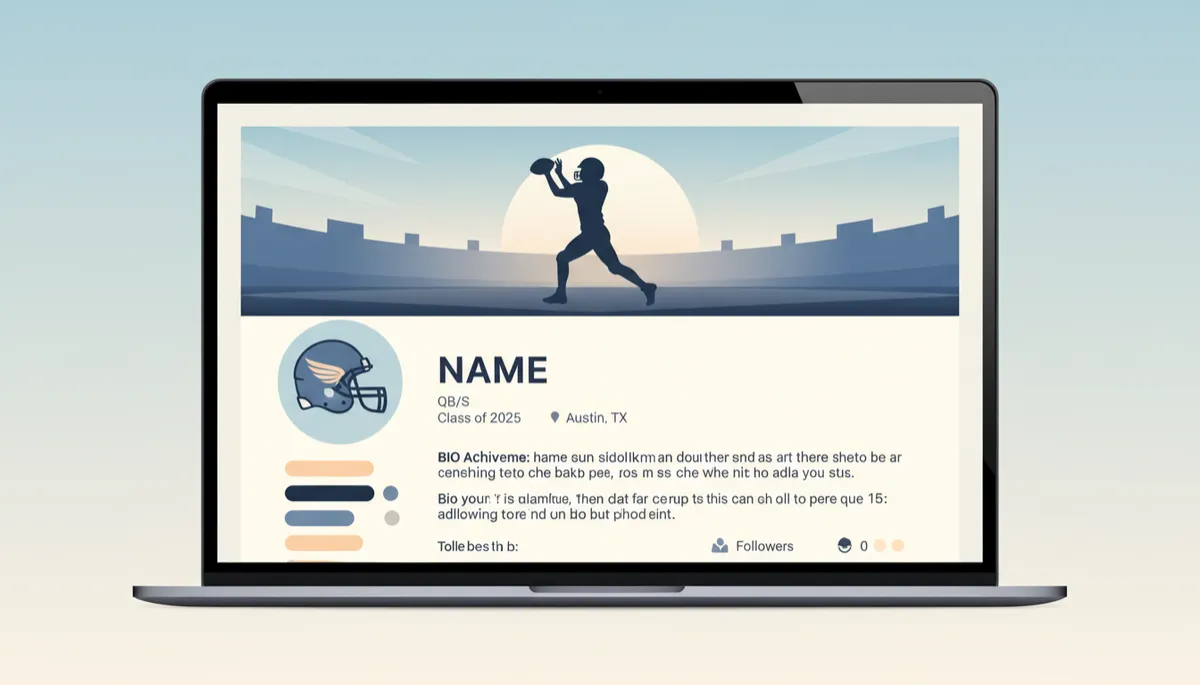
A clear bio and header image help coaches quickly understand who you are.
Include your name, position, height/weight, high school, city, state, and grad year.
Add key info like GPA, test scores (if strong), and any honors (All-State, All-Conference, etc.).
Paste a link to your Hudl or highlight film in the website field or directly in your bio.
For your header image (the large banner at the top), use a simple, football-focused photo: a game action shot, team photo, or your school stadium. Keep it clean and not cluttered with graphics or text that’s hard to read.
📌 Key Takeaway: A coach should be able to answer “Who is this player, where are they from, and what class are they?” within five seconds of opening your profile.
Step 4: Set Your Account to Public and Adjust Settings
For recruiting, your account must be public. If coaches can’t see your posts, highlights, or contact information, they’ll move on to the next player quickly. In your settings, make sure:
Your profile is public (no private/locked icon).
Direct messages are open so coaches and recruiting staff can contact you even if you don’t follow them yet.
Notifications are turned on so you don’t miss a coach liking, following, or messaging you.
Step 5: Pin Your Best Highlight Tweet
Once your profile is set, create a tweet that acts as your recruiting snapshot. Include your position, measurables, school, class, key stats or honors, and a link to your highlight film. Then pin that tweet to the top of your profile so it’s the first thing coaches see when they visit.
💡 Pro Tip: Update your pinned tweet each season with your latest film and achievements so your profile always reflects your current level of play.
Step 6: Post, Interact, and Stay Professional
Setting up your account is only the first step. To make X truly useful for recruiting, you need to use it consistently and professionally:
Post game clips, workout videos, and updates about offers, visits, and academic accomplishments.
Tag your high school coaches and use relevant hashtags (for example: #AGTG, #Hudl, #CollegeFootball, your graduation year, and state).
Never argue, trash talk, or post about drama. Coaches notice maturity as much as talent.
Final Thoughts: Treat Your X Profile Like a Resume
When you set up your X account with recruiting in mind, you’re giving college coaches exactly what they need: fast access to who you are, how you play, and how to reach you. Keep it clear, honest, and updated, and your profile can become one of the most powerful tools in your recruiting journey.
🎯 Ready to Get Noticed? Join our free Facebook group for football parents — recruiting education, real wins from real families, and direct guidance from a former zero-star recruit turned ACC & SEC starter. Click here to join the group and start getting your athlete in front of the right eyes.